


Step 1 Log In to the EZfare Website
- Go to the website: Open a web browser and visit https://ezfare.justride.tickets/ (opens in new tab).
- Sign in: If you already have an account, click Login. If you are new, click Sign up to make a new account.
Check your email: If you made a new account, check your email inbox! You must click the confirmation link in the email to activate your account before you can pay for anything.
Step 2 Find the "Your Travel Tokens" Section
- Click Tap & Ride at the top of the page.
- Look at your dashboard: Once you log in, you will see your main account page (the dashboard).
- Find the right section: Scroll until you see a box labeled Your Travel Tokens.
- Start linking: Click the blue button that says + Add Travel Token.
Step 3 Type in Your Card Info
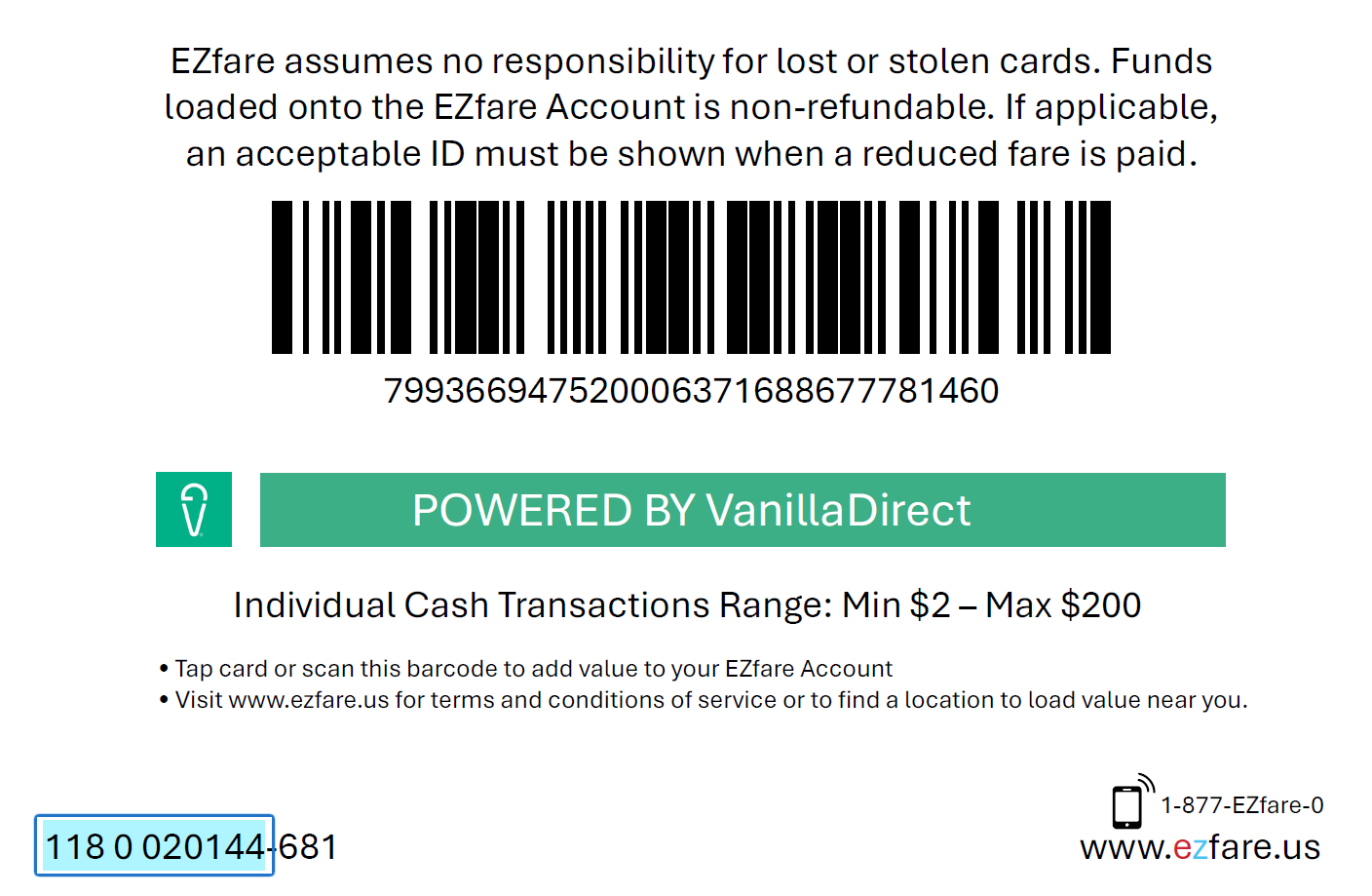
- Find your card number: Flip your plastic transit card over to the back. Look at the bottom left corner.
- Type the first 10 numbers: Type in the first 10 digits of that card number. Stop typing when you hit the dash (hyphen).
- Give your card a nickname: In the Token Name box, give your card a funny or useful name (like "My Bus Pass" or "School Card") so you can recognize it easily later.
- Agree to the rules: Click the little checkbox that says I agree to the Terms & Conditions.
- Click register: Click the button that says Register Smart Card.
Step 4 Type the Extra Code to Finish
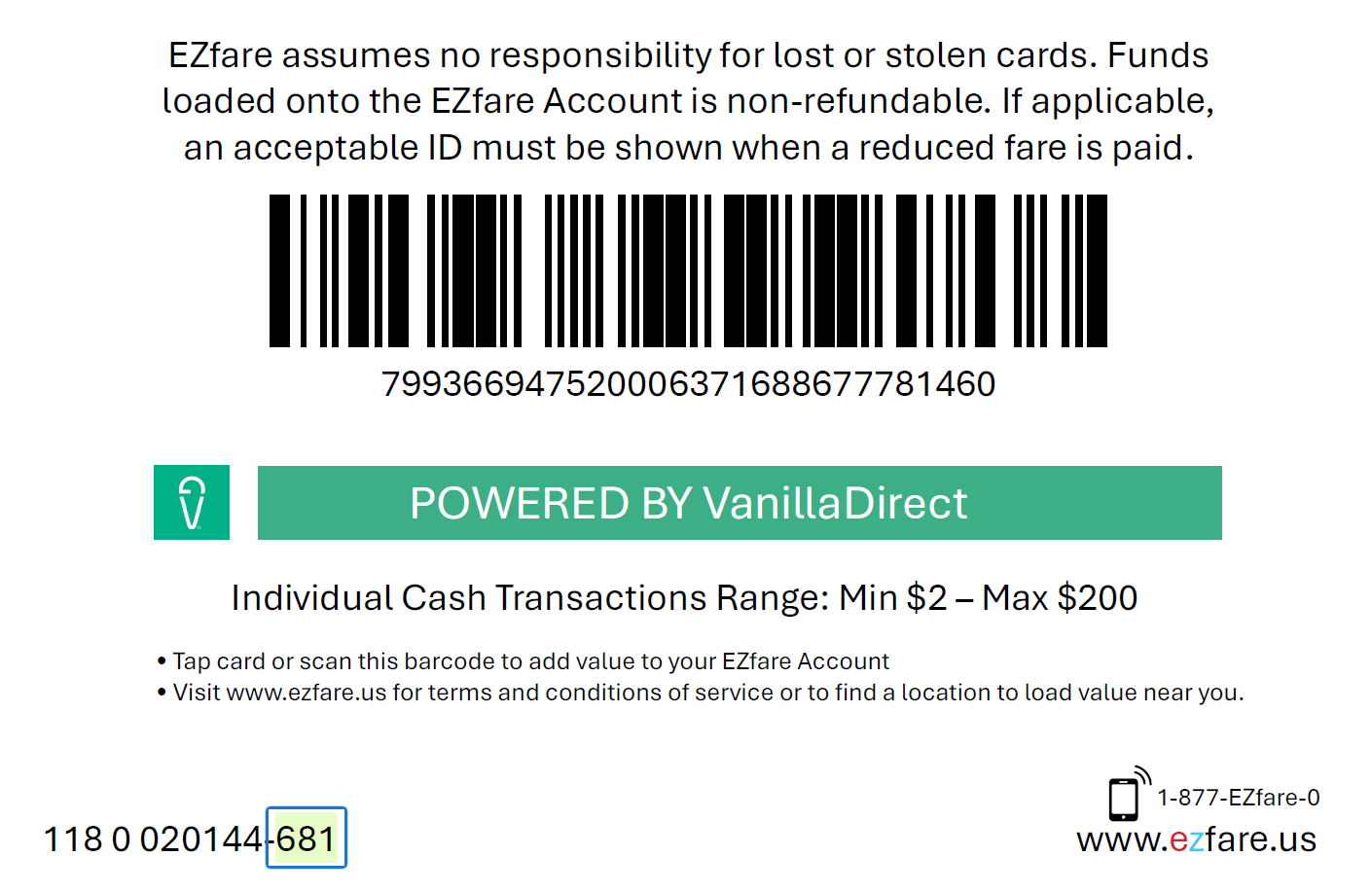
- Find the 3-digit code: Look at the back of your plastic card again. Find the dash (hyphen). Right after that dash, there are 3 last numbers. This is your secret Verification Code.
- Type the code: Enter those 3 numbers into the verification box on your computer or phone screen.
- Click verify: Click the button that says Verify and Register Smart Card.
- You are done! A green success screen will pop up saying "You're All Set."
What Happens Next?
- Your money moves online: If you already had money saved on your plastic smartcard, don't worry! That money will instantly move over to your online account balance.
- If you lose your smartcard, your funds can be transferred to a new card.
- Your card will display online in your account: Your card will now show up inside the Your Travel Tokens box. You can click Tap & Ride at the top of the website anytime to get back to this view.
- Your discounts stay active: If you get a cheaper riding rate or entitlement (like a student discount, senior discount, or Paratransit services), the website will automatically see it and make sure you still get the appropriate savings!