A New Way to Pay

 A New Way to Pay

What is fare capping? (The Benefit for You)

Fare capping ensures you always get the best deal. It gives you the savings of a daily, 7-day, or monthly pass — without the stress of paying for one upfront.

Lowest fare guaranteed

Every time you tap or scan, the system tracks your spending. Once you reach the price of a pass, you stop being charged; the rest of your rides for that period are free.

Pay as you go

You don’t need to have the full cost of a pass available upfront. Just add funds to your account (via cash or credit) and tap as you go.

Convenience

No need to plan in advance. Just tap or scan, ride, and save!

How to Get Started in 3 Easy Steps

  1. Step 1

    Get an account

    You can use a physical GCRTA Smartcard or download the free EZfare or Transit apps.

  2. Step 2

    Load funds

    Add money to your account using a credit card, debit card, or cash at any participating VanillaDirect retail location.

  3. Step 3

    Tap or scan

    Simply tap your Smartcard or scan your app's QR code every single time you board a vehicle.

Three Ways to Pay

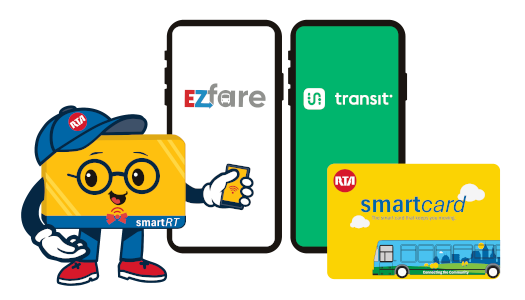
You have three convenient ways to pay your GCRTA fare and tap into automatic savings — start with a GCRTA Smartcard, or use the Transit and EZfare apps on your phone.

Option 1

Meet the GCRTA Smartcard

The GCRTA Smartcard is your physical card to access these savings. It is a durable, reloadable card that makes boarding fast and easy.
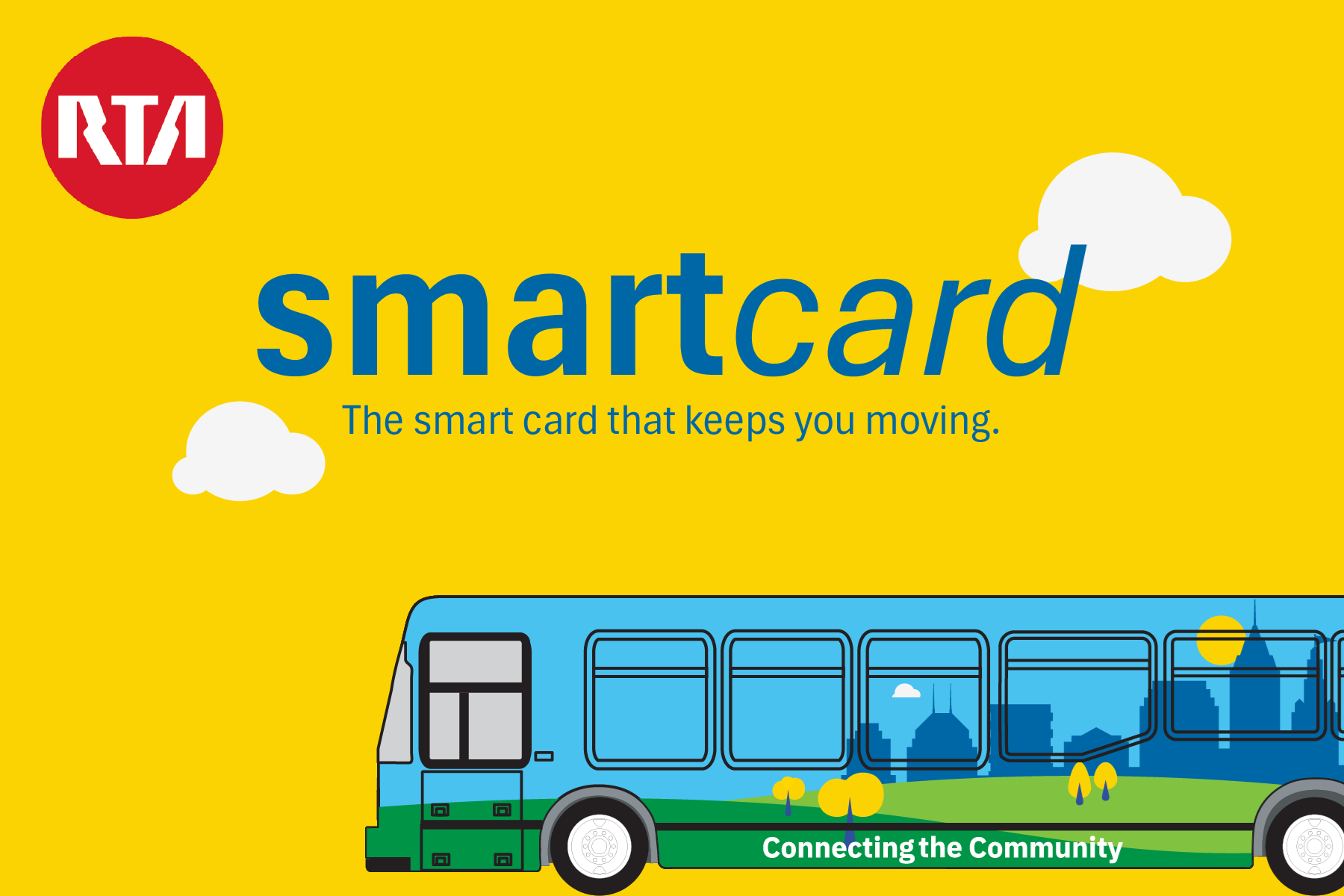
GCRTA Smartcard

Cost

A new or replacement Smartcard costs $5.00. Please add additional funds to the card before riding.

No Expiration

Smartcards do not expire, and your loaded funds remain valid for five (5) years.

Where to buy

Purchase yours online at the GCRTA Online Store or in person at the Tower City Customer Service Center.

Where to reload

Reload your GCRTA Smartcard with cash at any participating VanillaDirect retail location or at the Tower City Customer Service Center.

Mobile Payment Options

Prefer to pay with your phone? Choose an app below to get started.
SmartRT Card Mascot

SmartRT's Pro-Tips for riders

To make the most of the new system, keep these tips from SmartRT in mind.

Pro-Tip #1
Tap every time

You must tap your card or scan your app every single time you board to ensure the trip counts toward your fare cap.

Pro-Tip #2
Protect your funds

Register your Smartcard online. If a registered card is lost or stolen, it can be recovered and your funds transferred to a new card.

Pro-Tip #3
Check the light

The validator will show different colors:

ValidShow ID / low fundsNot valid
Pro-Tip #4
Keep it flat

Do not insert your Smartcard into the farebox; use the validator to tap your card.

Pro-Tip #5
One Rider Only

Accounts are only valid for one person at a time. You cannot scan the same account or card twice for different people during the same trip.

Pro-Tip #6
Loading cash

Visit any participating VanillaDirect retail location to add between $2 and $100 in cash to your card or app.

Fare capping limits

Your rides are automatically capped based on your rider category. Once you hit these totals, your rides are free for the rest of that day, week, or month.

CategoryDaily cap7-Day capMonthly cap
Full Fare$5.00$25.00$95.00
Reduced Fare (Senior / Disabled)$2.50$12.50$48.00
Student (K–12)$4.25$25.00$95.00
Paratransit$7.00$30.00$110.00
  • Daily caps reset at 3:00 AM the next day.
  • 7-Day caps last for seven days from your first tap.
  • Monthly caps reset on the 1st of every calendar month.

Important Things To Remember

  • What Doesn't Count: Cash paid directly into a bus farebox, and pre-purchased fare cards and passes do not count toward your fare capping progress.
  • Check Your Status: You can check your balance and progress toward a cap directly in the apps or by visiting the EZfare website.

Frequently asked questions

Use this guide to understand how the GCRTA Smartcard, the Transit app, and the EZfare app help you save money automatically through fare capping.

What is Account-Based Ticketing (ABT)?

ABT is a ticketless system where your transit access is linked to an account or "token" (like a Smartcard or mobile app) instead of a physical paper or digital pass.

Your trips are tracked automatically, making you eligible for fare capping. Instead of buying a pre-purchased pass upfront, you simply add funds to your account (via cash or credit) and tap as you go. ABT requires maintaining an account balance and scanning every time you ride to ensure fare capping.

What is Fare Capping?

Fare capping is a benefit of ABT that ensures you always get the best deal. Once you activate fare capping, your individual rides add up to the cost of a daily, 7-day, or monthly pass, you won't be charged for additional rides during that period. It gives you the savings of a pass without the upfront cost. This feature does not cost anything extra.

Is RTA getting rid of cash or regular tickets?

We are not discontinuing any purchasing methods or fare media. You will still be able to use cash. Digital and physical fare media will still be available for purchase.

How do I Fare Cap?

Tap or Scan your smartcard or app every time you board. The system will 'cap' you when you reach a fare capping limit.

What qualifies as an "Account" or "Token"?

You have three main options for using these new features:

How is this different from the current apps?

Same apps with new features. Add funds to your account on either app and fare capping will automatically be enabled.

I receive a discounted fare. How do I get those discounts on my fare account or Smartcard?

To associate a discounted fare with your account, you can apply:

  • In-person: Visit Tower City Customer Service Center
  • Online: Apply online via the GCRTA Online Form (to be available at launch)
  • Telephone: Call GCRTA's Community Connection Line at 216-621-9500
Does every GCRTA payment count toward fare capping?

No. Only taps with a Smartcard or scans of an account QR code count.

What doesn’t count towards fare capping?

The following do not count towards your fare capped fare:
 

  • Pre-purchased paper or digital tickets (including student passes)
  • Cash paid directly into a bus farebox.
  • Tickets bought at a Ticket Vending Machine (TVM)
What are the fare capping limits?

See the Fare capping limits section for the full table and reset rules.

How do I know if I've reached my daily/weekly cap?

If your account is linked to EZFare, go to the website at https://ezfare.justride.tickets (opens in new tab).

If your account is on mobile app(s), check the app.

If you need additional assistance, please visit Tower City Customer Service or call GCRTA's Community Connection line at 216-621-9500.

How do I know how much I need to pay each trip?

Fares are not changing. Make sure you have enough funds to cover your trip. Tap your card or scan your account QR code each time you board.

  • If you have not reached your cap, funds will be taken from your account.
  • If you have reached your cap, no funds will be taken from your account.
  • If you do not have funds in your account, you will need to add funds.

Need to know our fares? https://www.riderta.com/fares (opens in new tab)

What should I do if I am charged incorrectly?

If you were charged incorrectly, you can request a correction through one of the following methods:

1. Online: Via the GCRTA Online Form (to be available at launch)
2. In Person: Tower City Customer Service
3. Telephone: Call GCRTA's Community Connection line at 216-621-9500.

What if I accidentally purchase a pass (e.g. All-Day, 7-day, Monthly) when I meant to add value to my account for fare capping?

While GCRTA does not offer refunds or exchanges for mobile tickets, your unused tickets stay securely in your Ticket Wallet until you're ready to ride.

You can use the ticket to ride, but it will not count towards fare capping.

See www.riderta.com/fares (opens in new tab) for information on loading funds to your account.

Can I still buy regular tickets? What if I do not want an account?

Yes. Physical passes can still be purchased from ticket vending machines (TVMs) and fareboxes. Pre-purchased digital tickets will remain available on the EZFare and Transit apps; however, they will not contribute towards Fare capping because pre-purchased tickets are not eligible.

Are there Family Discounts?

There are no discounts for families on fares, smartcards, or loading funds to accounts.

What's the difference between using the Smartcard or a phone app?

Personal preference.

Want a physical card to manage? Got $5? Get a Smartcard

Want to have everything on your phone? Want to save $5? Use the apps

How do I get a GCRTA Smartcard and what does it cost?

You can buy a Smartcard online at the GCRTA I-Store or in person at the Tower City Customer Service Center. Smartcards do not expire and your funds remain valid for five (5) years.

  • A new or replacement Smartcard costs $5.00. Please add additional funds to the card before riding.

Note: If you register the account online and do not have an existing account, you will need to create one.

Do I need a password?

If you register the account online and do not have an existing account, you will need to create an account which includes adding a password.

What if I don't want to pay for a smartcard?

Use one of the free apps downloaded via Apple App Store or Google Play for Android:

  • EZFare
  • Transit

Note: You will need to create an account on the app if you do not already have one.

What is the difference between the two apps?

There are a few differences, but the main ones are that the EZFare app is for management of your digital tickets and account for fare capping. The Transit app adds transit directions/planning functionality.

How do I add funds with cash?

Visit any participating VanillaDirect (https://pay.vanilladirect.com/pages/locations (opens in new tab)) retail location.

  • For Smartcards: The cashier will scan the barcode on your card.
  • For Apps: Pull up your unique mobile barcode in the EZfare or Transit for the cashier to scan.
  • You can add between $2 and $100 at a time.
Can I manage more than one Smartcard using my smartphone?

Yes, you can link up to 10 GCRTA Smartcards to a single account, allowing them to draw from the same balance.

Here is how to set it up depending on which app you use:

  • EZfare App / Website: Register cards directly through your account settings.
  • Transit App: You must contact GCRTA via Tower City or by phone (216-621-9500) to add cards.

Important: Only one rider per trip is allowed per account. You cannot scan the same account or card twice for different people during the same trip.

Can I use my Smartcard or app for Paratransit service?

Yes, you can use the GCRTA Smartcard, the Transit app, or the EZfare app to pay for Paratransit trips. Each smart card or app account to be used for Paratransit service must be registered to work on Paratransit.

Does fare capping work the same across transit agencies that have EZFare?

While you can use the same payment methods across different systems, fare capping is managed individually by each agency.

System Compatibility: The GCRTA Smartcard or account barcode on your mobile apps will work for other EZfare agencies that accept account-based ticketing, such as Akron METRO or Laketran, and PARTA.

Separate Fare Caps: Fare capping is tracked independently for each transit agency. For example, if you ride both the Laketran and GCRTA systems, the progress you earn toward a daily or monthly cap on one system will not apply to the other.

Do I insert the smartcard into the farebox?

No. Use the validator to tap your smartcard.

What if I lose my Smartcard or phone (with the app)?

Suspend your account immediately to prevent unauthorized use by visiting Tower City or calling 216-621-9500.

Recovery: If your Smartcard is linked to an account, it can be recovered and your funds transferred to the new card; if it is not linked, it cannot.

What if my Smartcard is damaged?

You can buy a replacement Smartcard online at the GCRTA online store or in person at the Tower City Customer Service Center. A Replacement Card is $5.00. If your smartcard has been linked to your Transit with EZFare or EZFare account, you can transfer any stored account value to the new card.

What if I have a mobile app and a Smartcard? Do they talk to each other?

Yes. Only if you link them to the same account. If they are not linked, each will track fares separately. To be eligible for fare capping across both, ensure the account or card you're using has a positive balance.

Why did I get an error when I scanned my account twice for two people?

Accounts are only valid for one person at a time. The system will not allow more than one rider to use an account (smartcard or QR code).

How do I confirm a tap worked?

The validator will show different colors:

ValidShow ID / low fundsNot valid

If nothing happens, try again.

How do I view my travel history?

EZfare:

  • To View your Travel History, click "Your Active Tokens" to expand. From here, you can view all previous travel history and also any discounts that are available.
  • Visit the EZFare website

Transit app:

  • Tap EZFare bar on main page.
  • Tap "Transaction history"
Can I get a refund for my account balance?

GCRTA does not offer cash refunds for account balances. However, your funds remain valid for five (5) years.

Can I mix and match fare types?

There are no fare types with Account-Based Ticketing. Add funds to your account and tap or scan when you board. The correct fare type will be deducted from your account.

How are my payment information and data protected?

Our vendor, Masabi, follows the strictest security rules, including PCI DSS compliance and secure cloud services from AWS.

Who do I contact for help?

Depending on your needs, you can receive support through the following channels:

  • EZfare Account Issues: Call 1-877-393-2730 (Monday–Friday, 7:00 AM – 4:00 PM). This support line assists with locked accounts, account balances, app issues, and payment questions.
  • Transit App Support: Link https://help.transitapp.com/ (opens in new tab); Email info@transit.app for technical help within the Transit app.
  • General GCRTA Support: Call the Community Connection Line at 216-621-9500.
  • In-person Support: Visit the Tower City Customer Service Center for face-to-face assistance.