


Step 1 Get Your Cash Payment Barcode
To link your cash to your transit account, you must have a unique barcode. You can get this in two ways:
On Your Smartphone
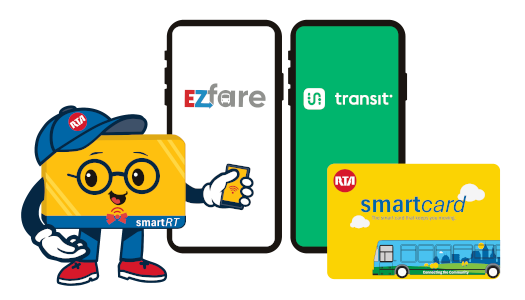
- Open app (such as EZfare or Transit with EZfare).
- For EZfare, tap "Add funds" and tap "Pay with Cash" to use a VanillaDirect retailer.
- For Transit, tap "Add funds" and tap "Add funds at store or kiosk" and select VANILLADIRECT to use a VanillaDirect retailer.
FYI: Transit app Help Add Value to your Account using VanillaDirect — Transit Support (opens in new tab)
On Your GCRTA Smartcard
- If your GCRTA smartcard has a VanillaDirect logo on the back, the card itself acts as your barcode.
Step 2 Load at a Cash-Loading Retailer (VanillaDirect)
Visit any local store that supports VanillaDirect. VanillaDirect accepts cash only. Popular Cleveland area locations include:
- Pharmacies: CVS, Walgreens, and Rite Aid.
- Convenience Stores: 7-Eleven, Speedway, and Circle K.
- Discount Stores: Family Dollar and Dollar General.
Step 3 Make Your Cash Payment
- Inform the Clerk: Tell the cashier you want to make a "VanillaDirect cash payment" to your transit account.
- Scan the Barcode: Show the cashier the barcode on your phone screen or hand them your smartcard.
- Pay with Cash: Give the cashier the exact amount of cash you want to load, plus the store's service fee.
Please Note: Retailers may charge a separate service fee to process cash payments. This fee is collected by the retailer, not GCRTA.
Load at the GCRTA Customer Service location (Transit Center)
- For Transit App, tap "Add funds" and tap "Add funds at store or kiosk" and select TRANSIT CENTER to use a transit center cashier.
FYI: Transit Help web page link: Add Value to your Account at a Transit Center — Transit Support (opens in new tab)
- For EZFare App, on the home screen scroll down and tap "Scan Account" and show the barcode under "Scan Account" to your transit center cashier.
Step 4 Take Your Receipt
Always keep your printed receipt as proof of payment. Your cash is typically added to your account instantly, allowing you to ride GCRTA immediately.
Important Cash Tips
- Save on Fees: Since stores charge a flat fee for every transaction, it is more affordable to load a larger amount of cash (like $20.00) once rather than making several smaller trips.
- Tap. Save. Go.
Once the cashier completes the sale, your balance is updated. You can tap your card or phone on any GCRTA bus or train validator right away.